
It only takes a minute to change your Roku background—but it can make your whole setup feel cleaner and more modern. Here’s everything you need to know to change your Roku background image and adjust the settings so it doesn’t change automatically.
Read More: How to Change Your Roku Screensaver or Create Your Own
How to Change Your Roku Background
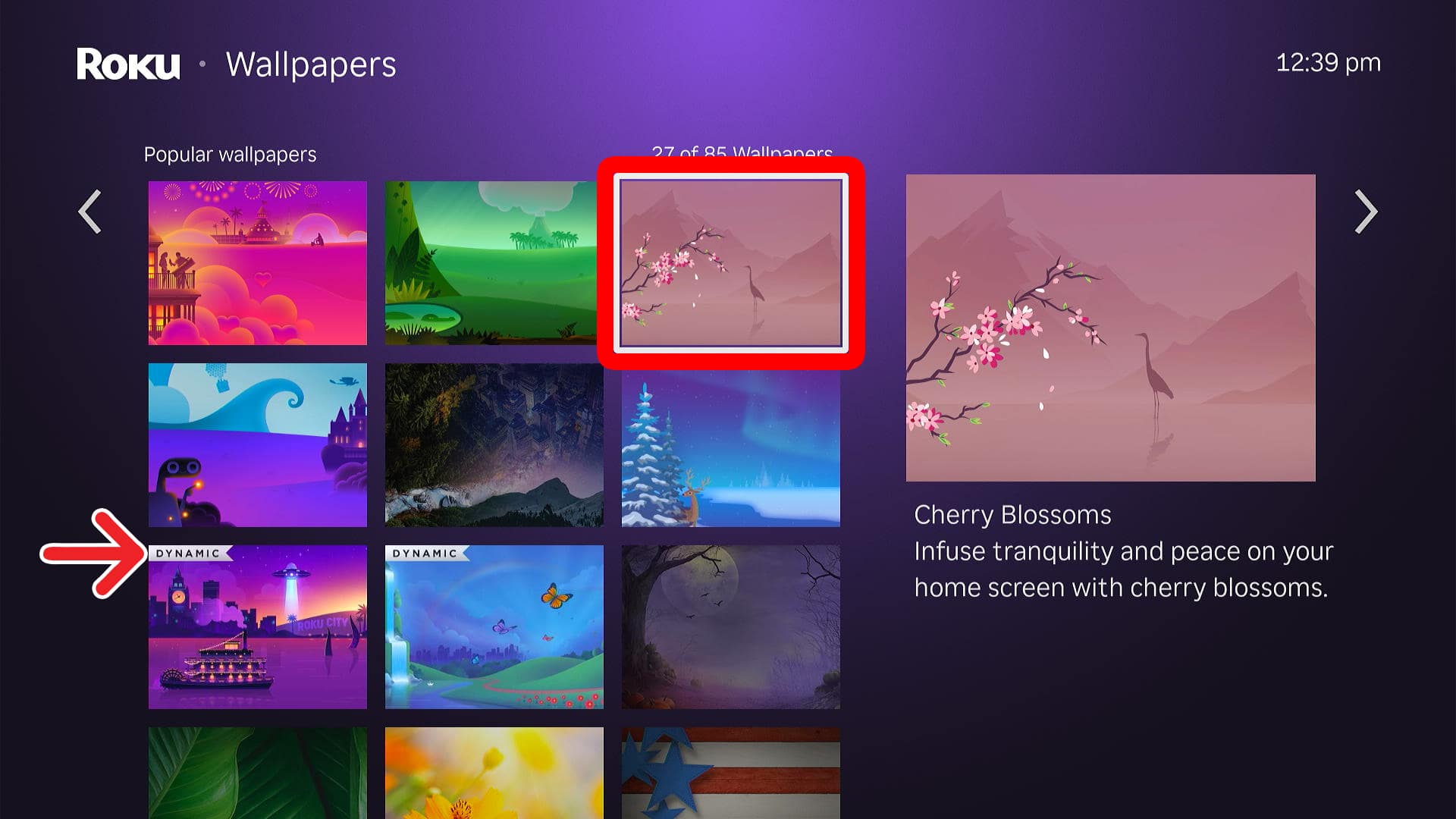
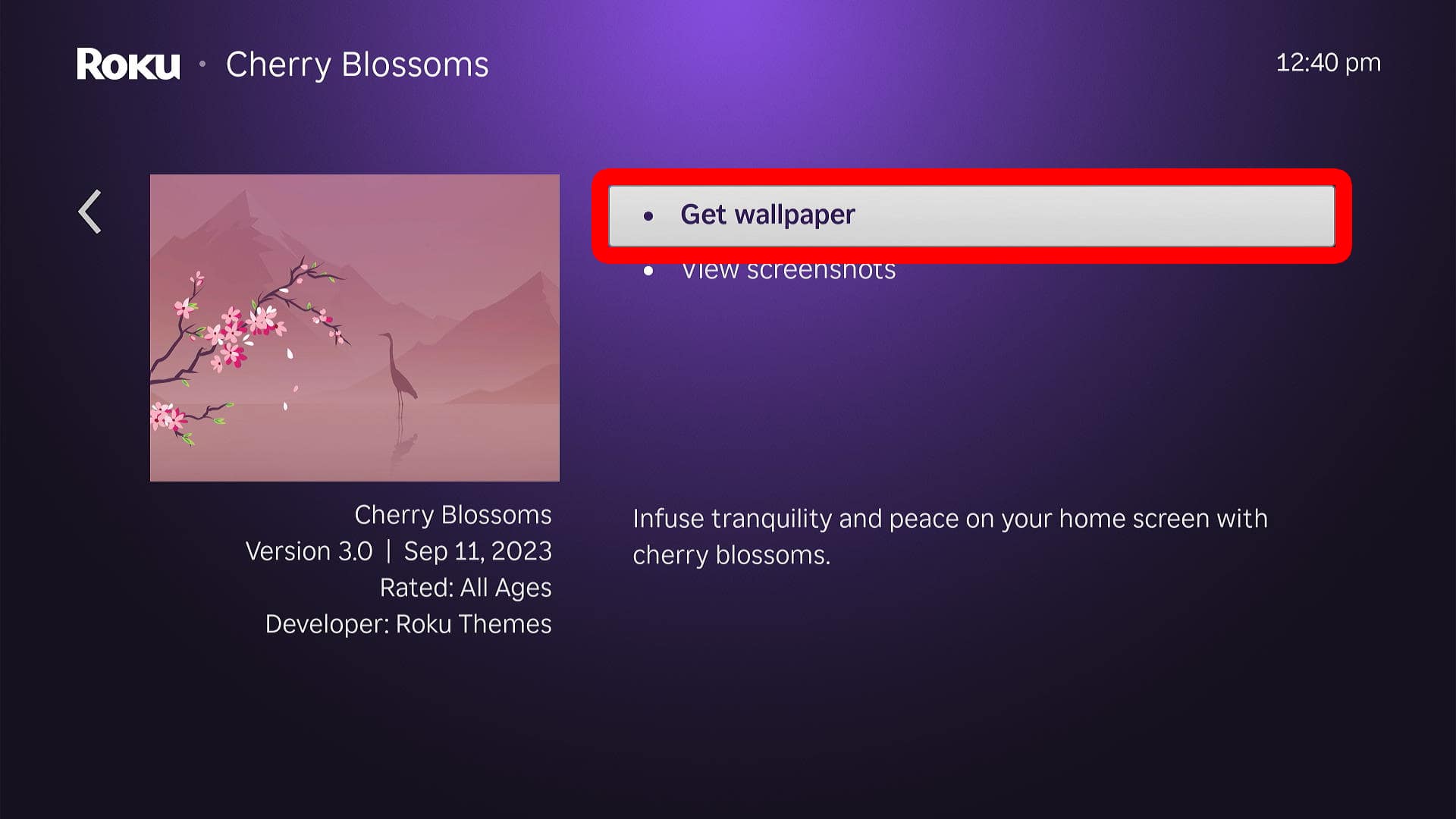
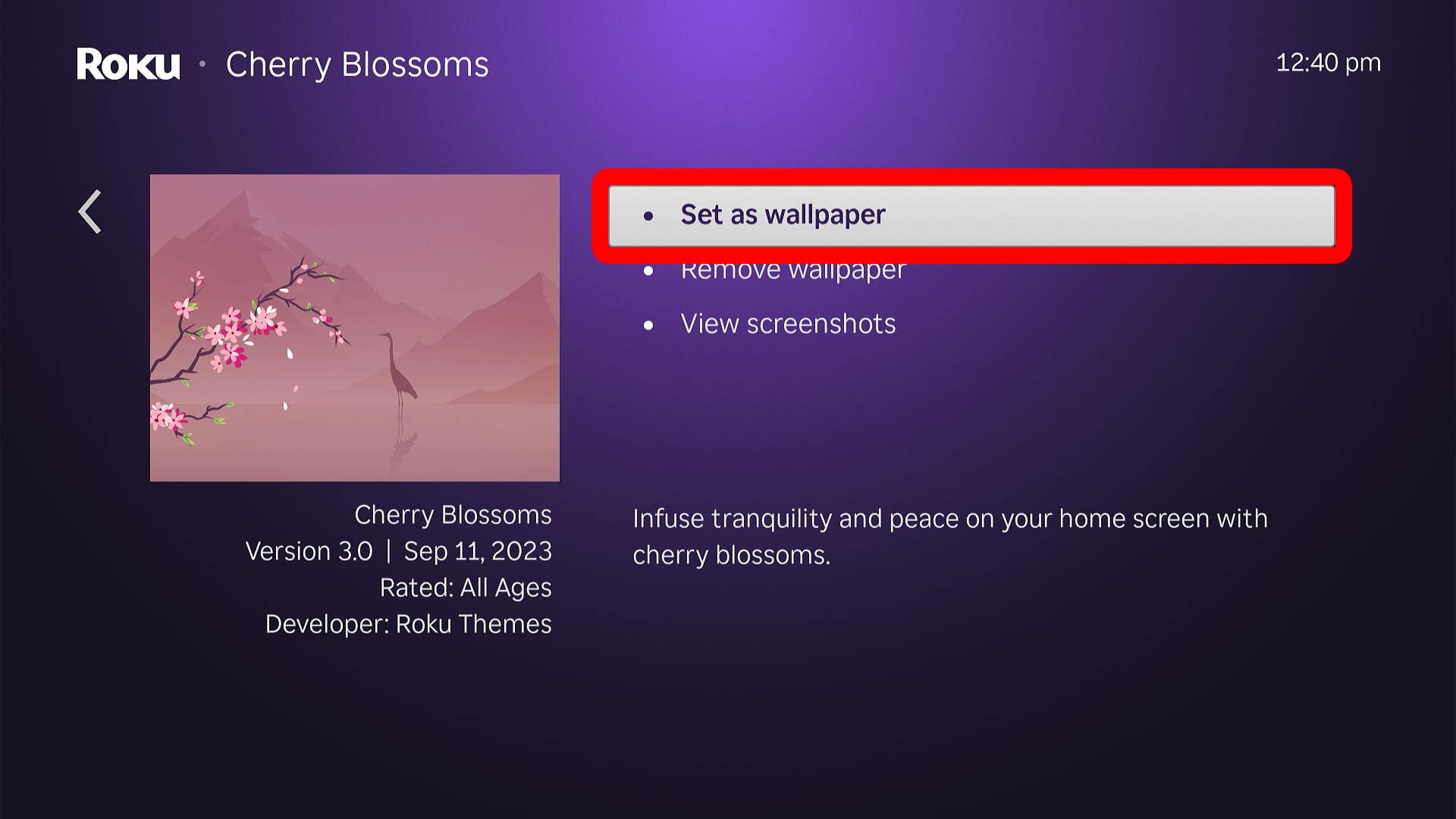
To change your background, navigate to the Roku home screen and select “Settings > Theme > Wallpaper.” Then, choose a background and select “Get wallpaper.” Finally, select “Set as wallpaper” to change it.
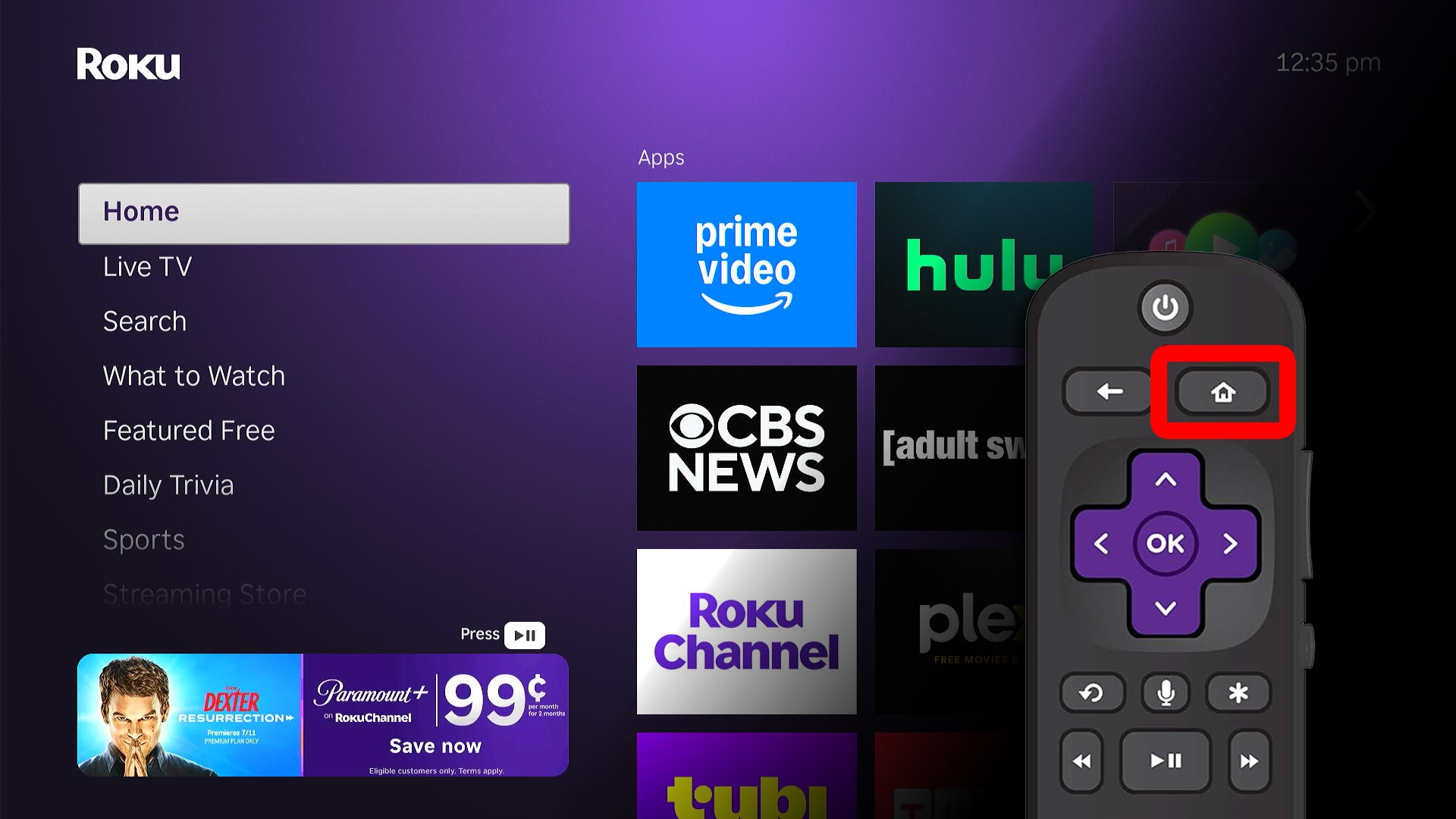
- Go to the Roku home screen. To do this, press the Home button on your Roku remote.

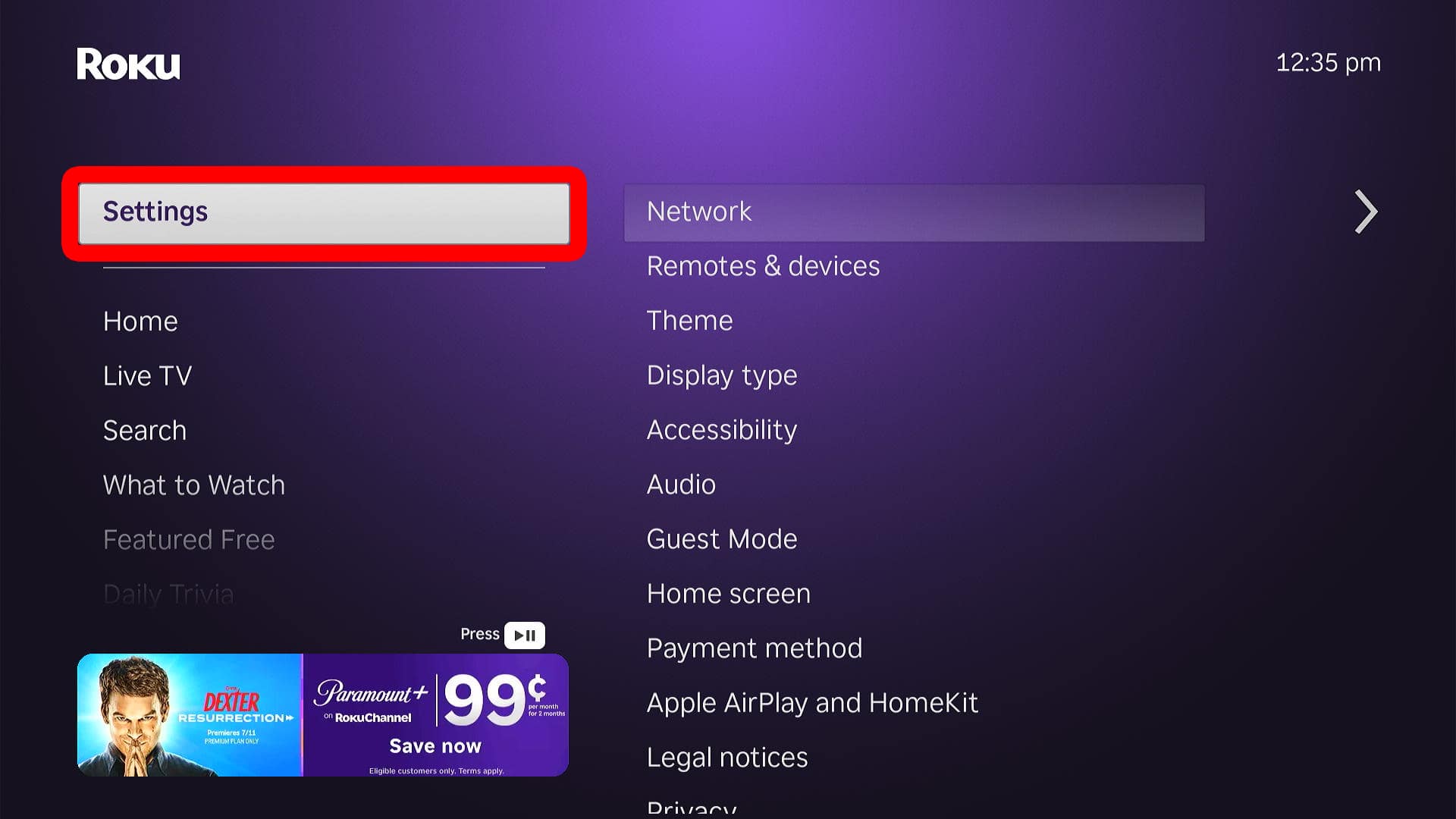
- Select “Settings.” To do this, press the up arrow on your Roku remote once.
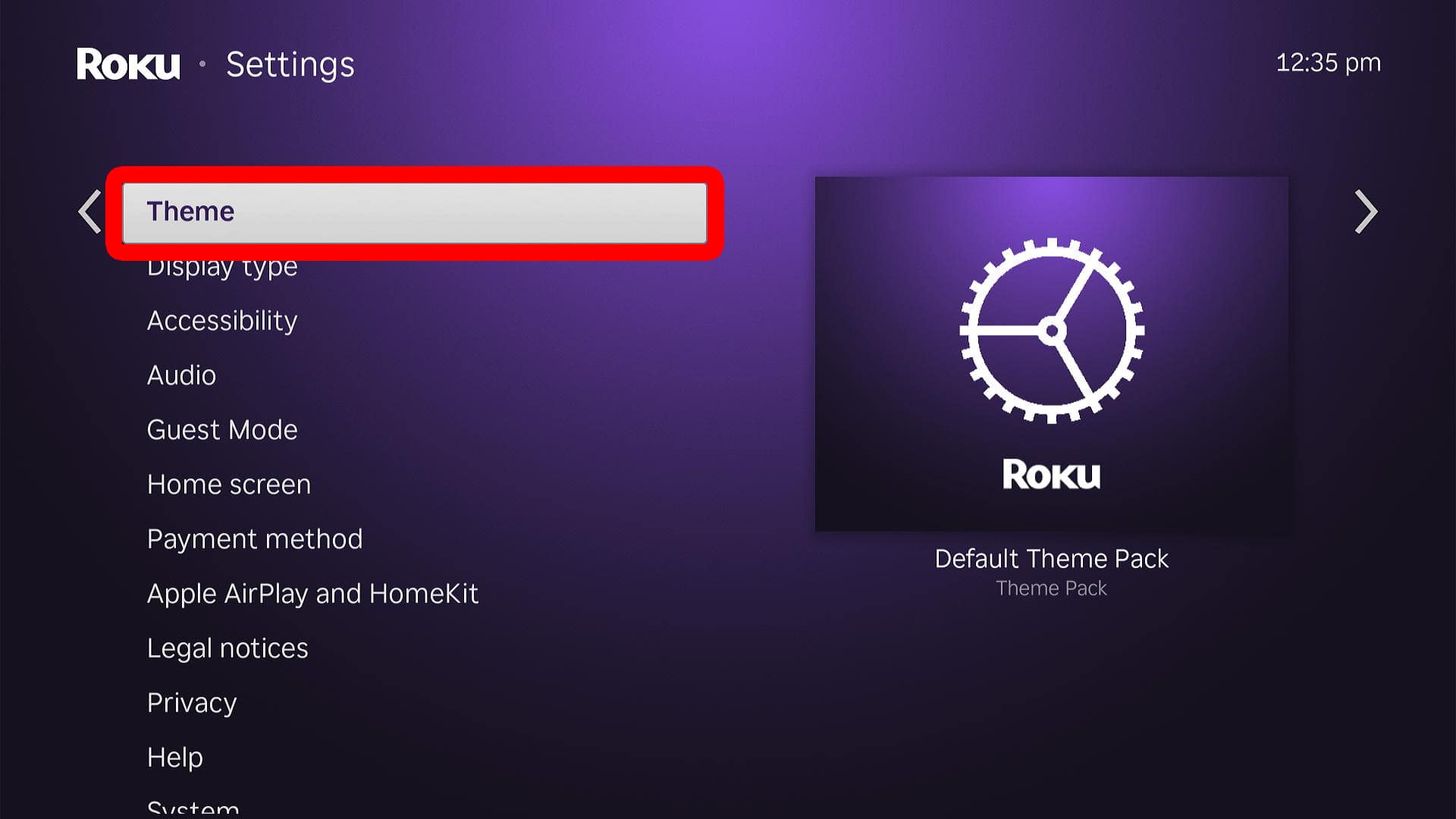
- Go to “Theme.”
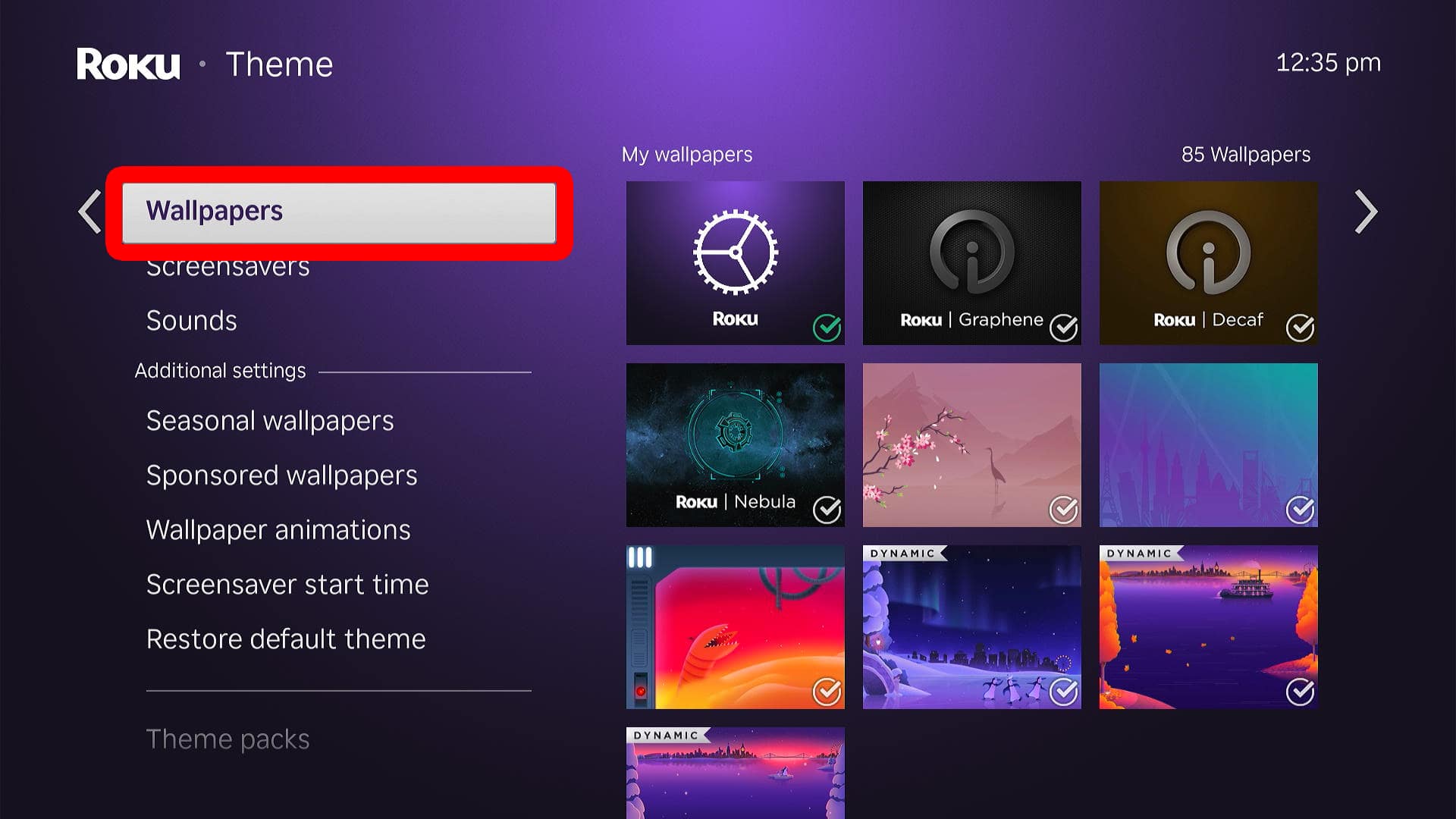
- Select “Wallpapers.”
- Choose a background. You can choose from “My wallpapers” (already downloaded to your Roku device), “Featured wallpapers” (created by Roku, but not downloaded to your device), and “Popular wallpapers” (includes third-party backgrounds that you’ll need to download).
- Select “Get wallpaper.” If you don’t see this option, it means the background has already been downloaded, and you can skip to the next step.
- Finally, select “Set as wallpaper.”

Once you change your Roku background, you can go back to the Theme menu to change other wallpaper settings.
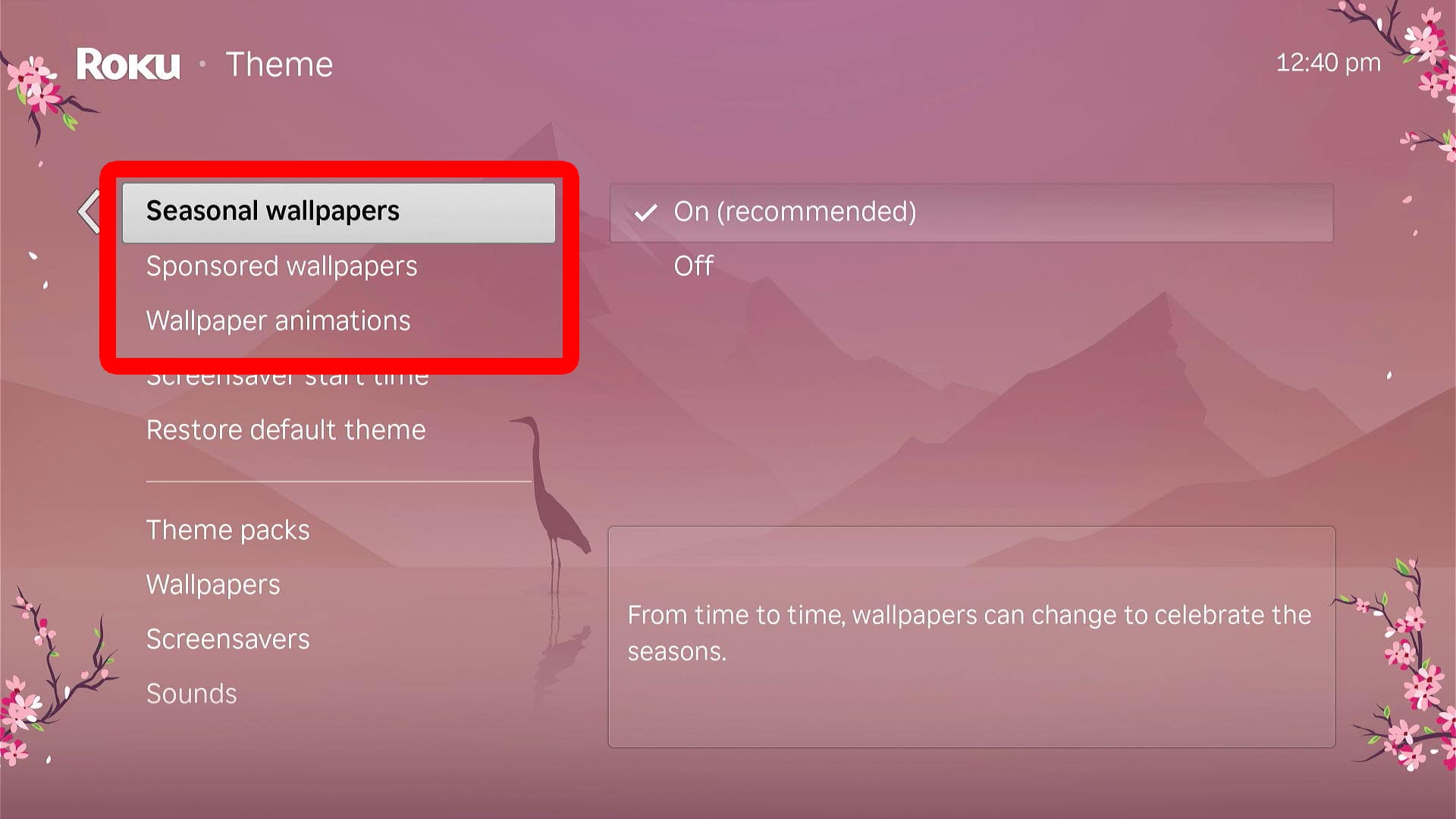
Roku Wallpaper Settings to Change
- Seasonal wallpapers (Set to Off): With this setting enabled, your background will change automatically depending on the season, for special events, and even when popular movies and TV shows arrive on Roku.
- Sponsored wallpapers (Set to Off): When enabled, this setting will change your background to promote certain sponsorships for TV, movies, events, and brand deals.
- Wallpaper animations (Set to On/Off): Enabling this setting will bring certain wallpapers to life with background animations. You can see which backgrounds feature animations by looking in the top-left corner of the image on the Wallpapers screen (step #5 above).
Read More: How to Turn Off Closed Captions on Roku